
As an individual app developer, you need to bring attention to your published apps. Companies of top-selling apps agree on how this is executed successfully. They create stunning and professional-looking animated 3D mockups of the apps. I'm here to tell you how you can create these for yourself in a matter of seconds.


Until very recently, creating 3D animations of your app design would require you to learn how to use programs such as Cinema 4D or After Effects. Programs that can take you weeks to get comfortable with, require high-performing hardware and with a high learning curve. If you're like me, you'd rather spend time improving your apps. That's why I'm happy that this isn't a concern for me anymore. For instance, what you're seeing below was made in less than two minutes.

Looks good, right? So what am I talking about? Perhaps the easiest mockup tool you can find. It's called Rotato and out in beta right now. It's a program exclusively for Mac at this point. What you can do with it requires absolutely no experience with 3D animations. Let me show you what I mean.
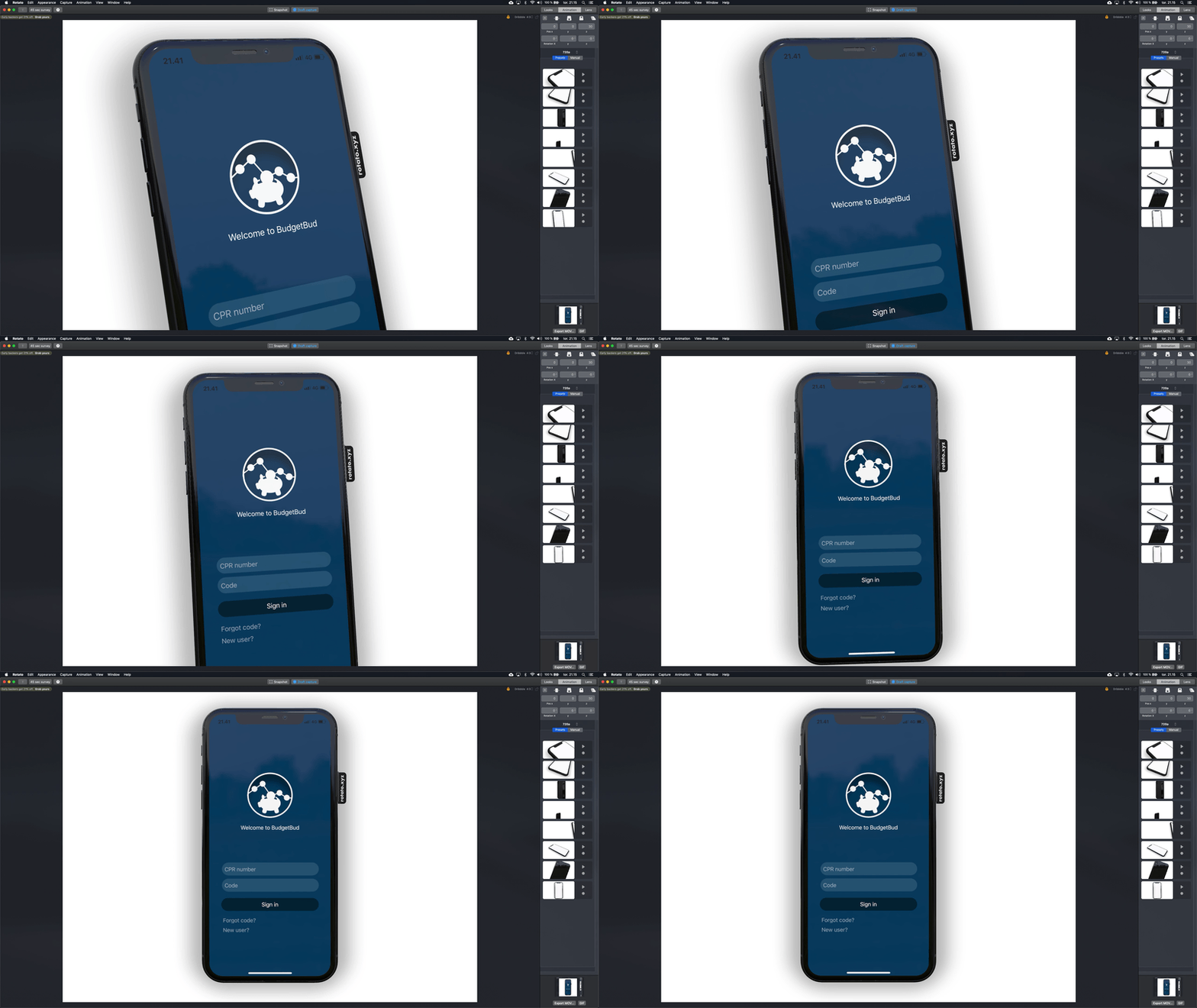
After opening Rotato, you'll see a phone waiting for you to drag-and-drop a screenshot or screen recording of your app into it. In the right sidebar, you are presented with 8 preset animations to choose from. You can also press the "Manual" tab to create your own by selecting various motions (zoom, angle or rotations) of the animation in a step-by-step manner. Very simple and intuitive. I like the preset animations - they're also similar to what you'll see from the ads of top-selling apps.
The best part is that I was able you create these animations on my old MacBook Pro from 2013. Rotato's performance alone is a selling point for me, as heavyweight programs such as After Effects don't perform too well on this old machine.
Recording and snapshots
Rotato offers recording functionality out of the box. This way you can extremely quickly make a recording of the animation you like. You can then choose to export the recording as a MOV or GIF (requires you to have Gifski installed already on your Mac).
Single snapshots, if you simply want still-images of the app with a nice frame, are also possible and easily done with the press of a button.
Appearance customizability
At the moment, you only have a few different devices to choose from in which you can display your screenshots. You can choose an iPhone (with or without a notch), iPad, laptop, TV and change the colors of these. That's more or less it. You won't find any Android devices here.
The background/setting is entirely customizable. Just go ahead and pick a color from the sidebar. Another option is to drag-and-drop an image or video. Sites like Unsplash and Mixkit are great resources for still and video backgrounds, as recommended by the Rotato team. You can be sure of finding something unique on there. These different options are great for making your mockups stand out.
Let's talk about price
Rotato is offered as either an unlimited trial or a Pro version with more features and the option of disabling the Rotato-tag on the side of the devices. For only 69 USD (and 21 % off while it's in beta) for the Pro version, Rotato is easily the most affordable alternative out there compared to After Effects and Cinema 4D combined with paid templates. These will set you back a great deal more.
Wrapping up
Rotato is a lightweight product with a minimal set of features that it does extremely well. Even though it's only in beta, it looks to be stable and with only a few hiccups. I highly recommend that you try it out.

Swift
The 5 Most Important Combining Operators in RxSwift
RxSwift provides plenty of options for joining your observable sequences together. Let’s go over the 5 most important combining operators you’ll likely use the most.

DevOps
Architecting a Logging Service for iOS Apps
Understanding how your apps behave in production is a fundamental part of our jobs as iOS engineers. We need to gather log events in order to investigate and reproduce issues that customers run into. Here’s how you create a log service with a clean architecture that’s modular and easily extensible.

Process
How Do I Work?
Over the past few years, I’ve been exposed to various ideas and processes that have affected my way of working in software development teams. From my experiences, here’s what has helped me work as efficiently as possible as a software developer.